
My Golf Season: Widgets
See your next club competition at a glance
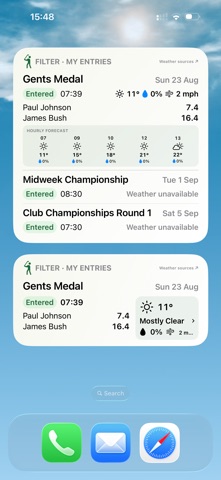
Connect your IntelligentGolf diary to see club competitions, entries and tee times on your iPhone Home Screen.

What you can do
- Widgets for competitions, entries and tee times
- Playing partners and handicaps, when included in your feed
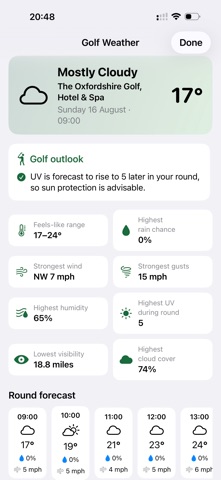
- Course-specific Apple Weather forecasts
- Filters for your entries, weekdays, weekends and more
Find your IntelligentGolf diary link
- Sign in to your club’s IntelligentGolf member area.
- Open MyGolf, choose Preferences and look for Diary Subscription.
- Copy your personal ICS subscription link into My Golf Season: Widgets, then add a widget to your Home Screen.
Diary options and event details depend on your club’s feed. Explore My Golf Season for Apple TV.